Keep your contact details current so notices about your projects reach you.
- Steps
- What happens next
- Changing your email address
- Changing your password
- What you may not be able to change yourself
- If something goes wrong
Sign in at your portal.
01 | Steps |
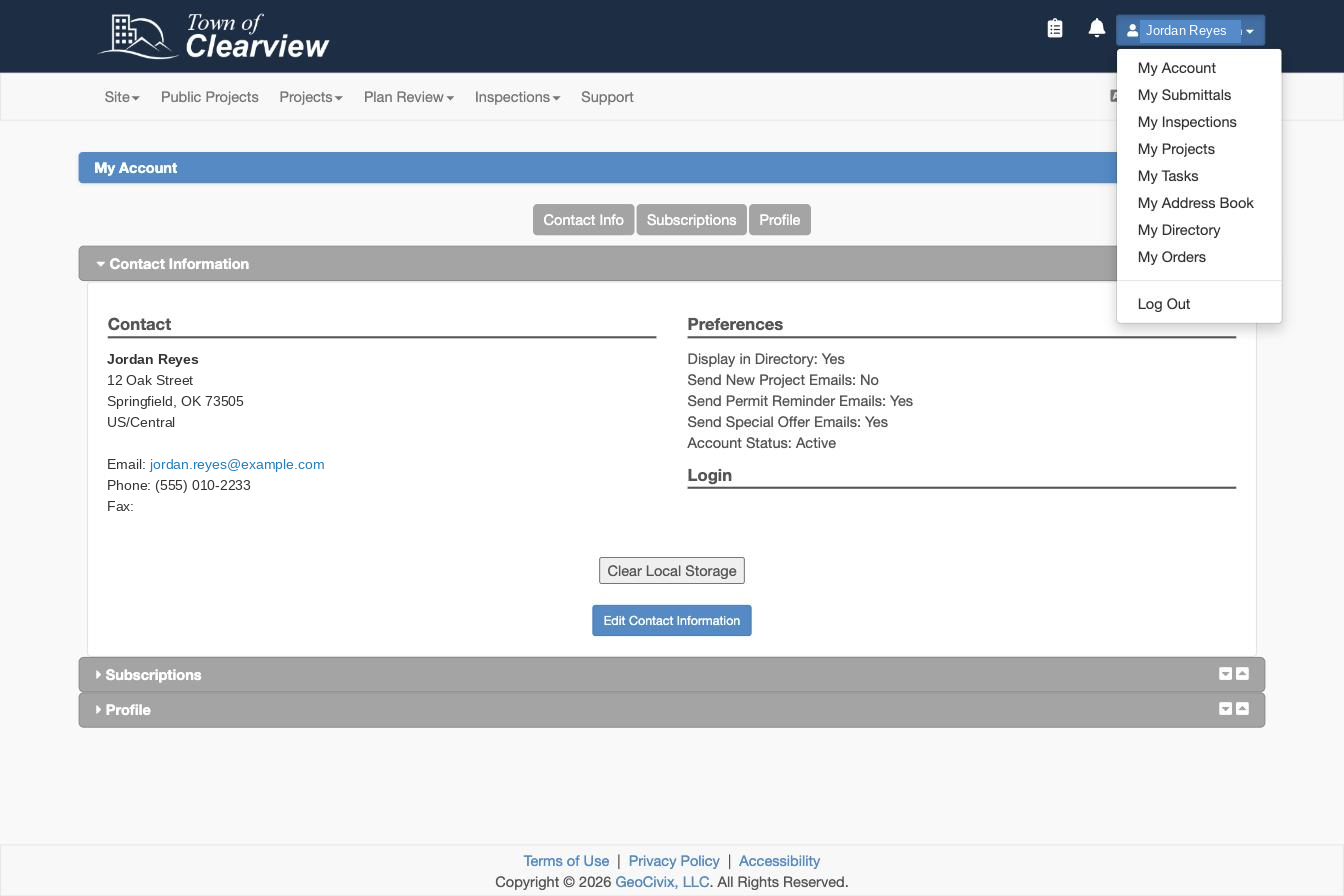
1 | Select your name in the top right of the portal, then My Account. |
2 | On the Contact Info tab, select Edit Contact Information. |
3 | Update the fields you need — name, email, phone, mailing address. |
4 | Select Save at the bottom of the form. |
5 | If you changed your email address, watch for a verification message and follow the link in it. |
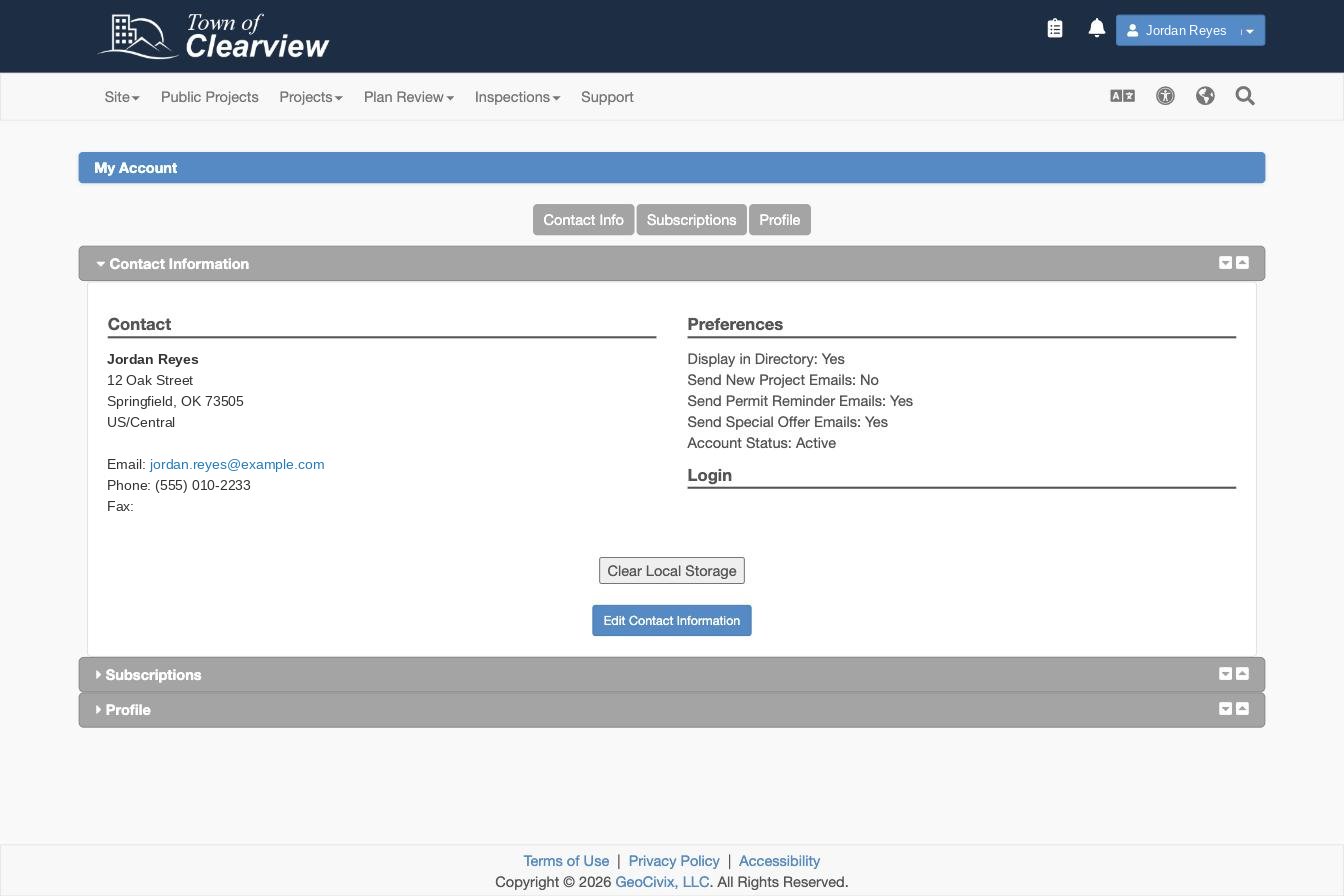
Your account page also has a Subscriptions tab. That's where you choose which emails you receive — permit reminders and project notices — separately from the details themselves.
02 | What happens next |
New notifications go to your updated details right away.
Changing your email doesn't move your existing projects. They stay attached to your account, so you keep access to everything. But if a project lists an older address as a separate contact, that contact record needs updating too — see below.
03 | Changing your email address |
Before you change it:
- Your projects stay with you. Changing the address on your account doesn't affect access or history.
- Verify the new address promptly. Until you do, notifications may still go to the old one.
- Keep checking your old inbox until verification is complete, in case a notice is already on its way.
- Contacts listed on a project are separate. If you're named as the applicant or a contact on a permit, that contact record may hold the old address. Updating your profile doesn't always update contact records on existing projects — check anything active, and contact the office handling your application if you can't change it yourself.
This is the most common cause of missed correction notices. If you have projects in review, check their contact details.
04 | Changing your password |
Your password sits on the same form as your contact details. New Password and Confirm Password are directly under the email field, with the requirements listed beside them.
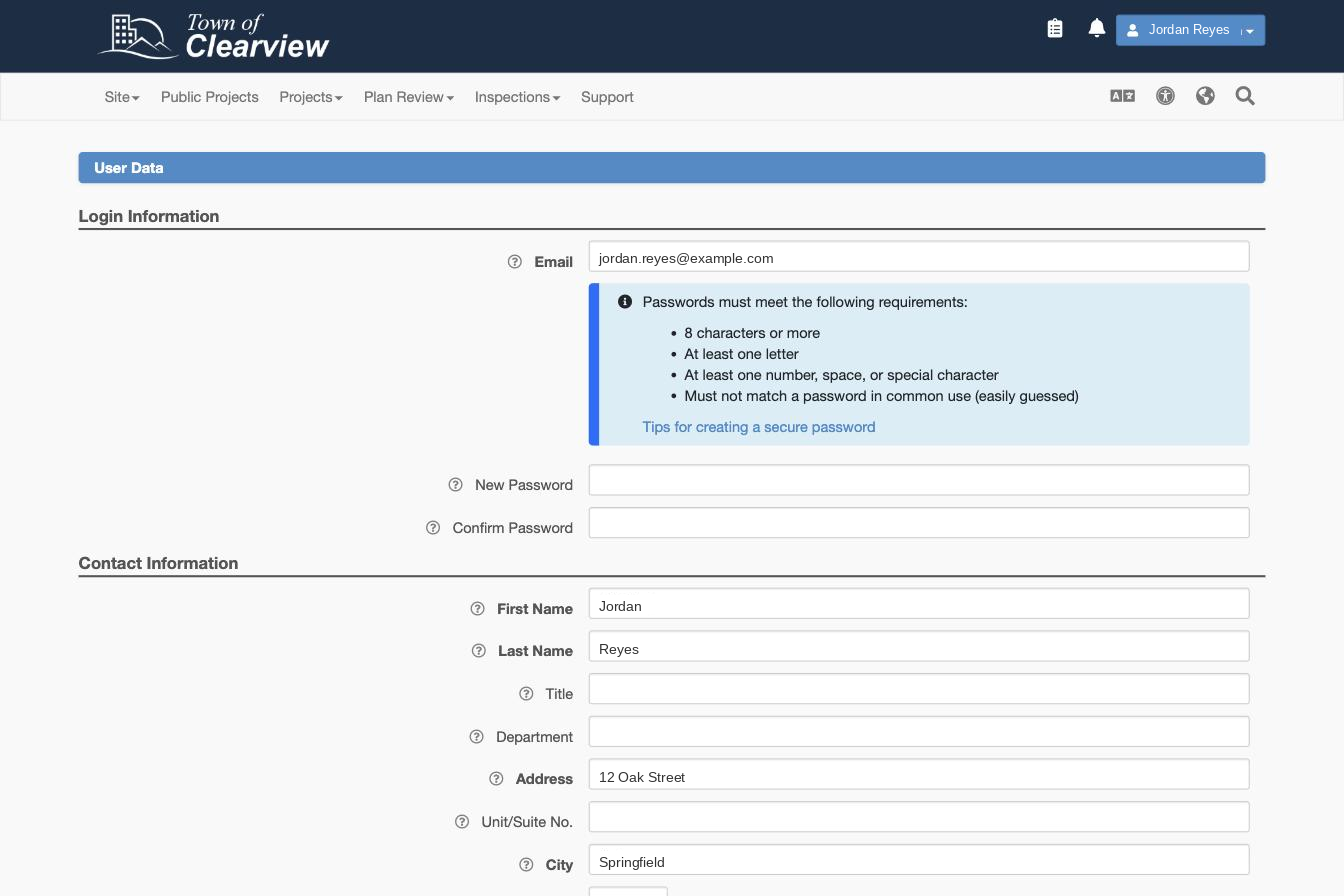
You don't need your old password to set a new one while you're signed in. Leave both password fields blank if you're only changing contact details.
A password needs to be at least 8 characters and include at least one letter and at least one number, space or special character. It can't be one that's in common use.
If you're locked out and can't sign in at all, see Reset your password.
05 | What you may not be able to change yourself |
Some details are locked once they're attached to a permit — usually the applicant of record, or licensing information tied to a project under review. This is deliberate: permits are legal records and their history has to stay intact.
If you need something changed that you can't edit, contact the office handling your application using the contact details on your portal. Have your project or permit number ready.
06 | If something goes wrong |
Was this article helpful?
That’s Great!
Thank you for your feedback
Sorry! We couldn't be helpful
Thank you for your feedback
Feedback sent
We appreciate your effort and will try to fix the article