This is for the person who manages your organization's Bluebeam subscription. If you are a Revu user who has been asked for a serial number, contact whoever handles Bluebeam licensing where you work — they can look it up using the steps below.
Find the serial number
Go to the Bluebeam subscription portal at https://org-admin.bluebeam.com/ and sign in with your Bluebeam administrator account.
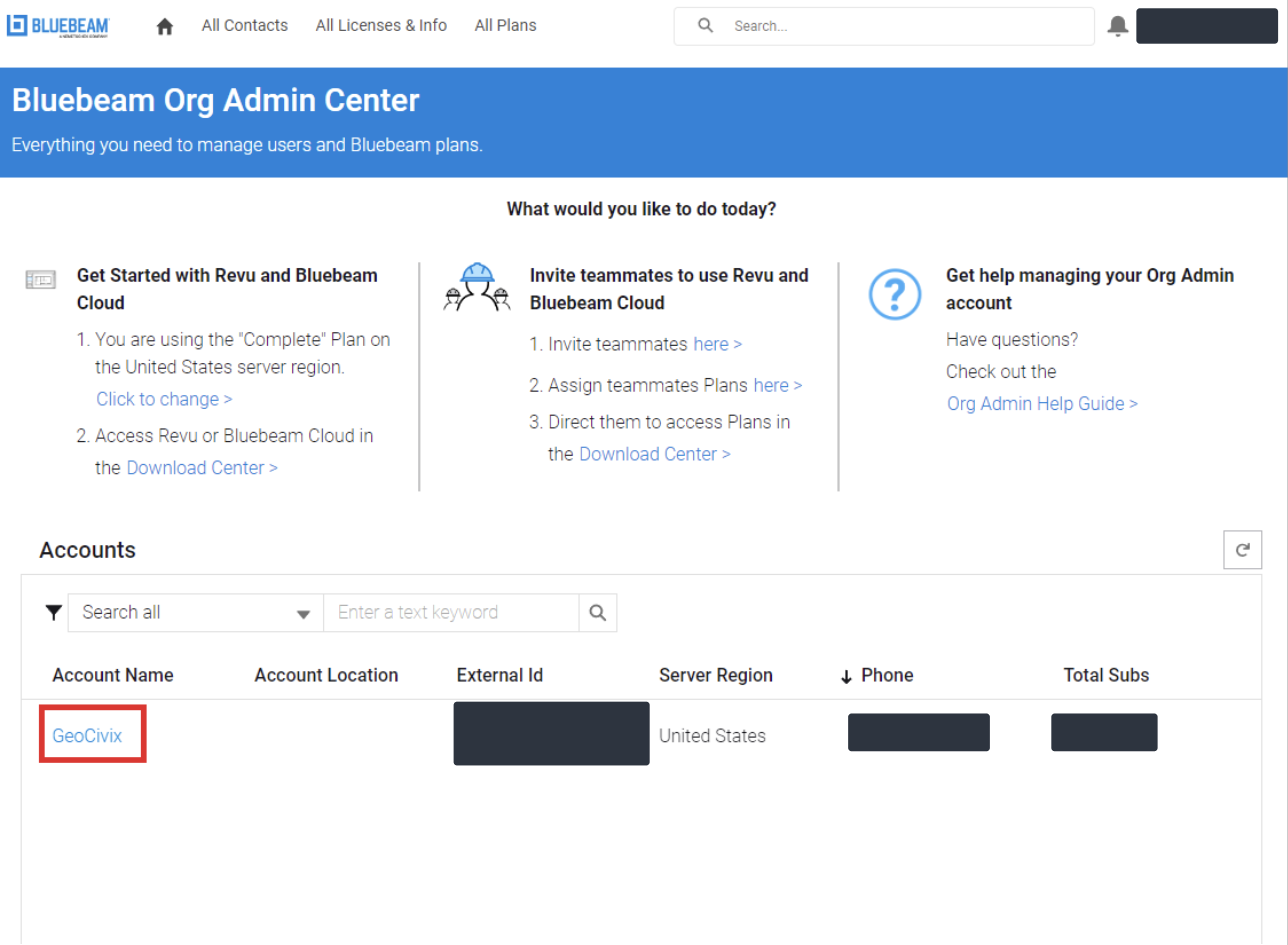
On the home page, find your organization under Accounts and click the account name.
In the left-hand menu click Account Settings, then open the Subscriptions tab.
Your serial number is in the Serial Number column of the subscription table.
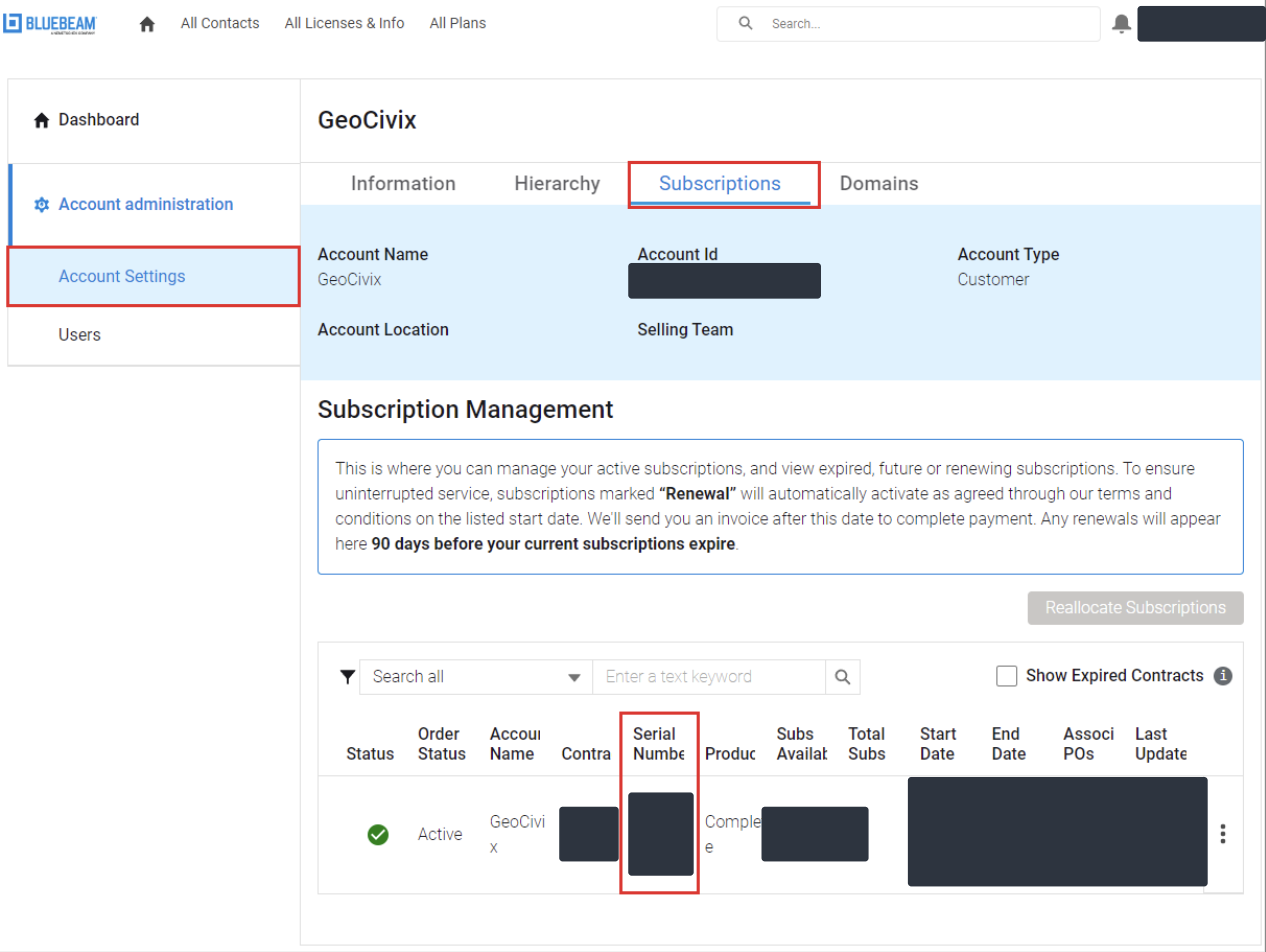
The screenshots show an example account with the details hidden. Yours will show your own organization's information in the same places.
If you get stuck
If you cannot sign in to the subscription portal, or you are not sure who your Bluebeam administrator is, raise a ticket and we will help you track it down.
Was this article helpful?
That’s Great!
Thank you for your feedback
Sorry! We couldn't be helpful
Thank you for your feedback
Feedback sent
We appreciate your effort and will try to fix the article